For home buyers
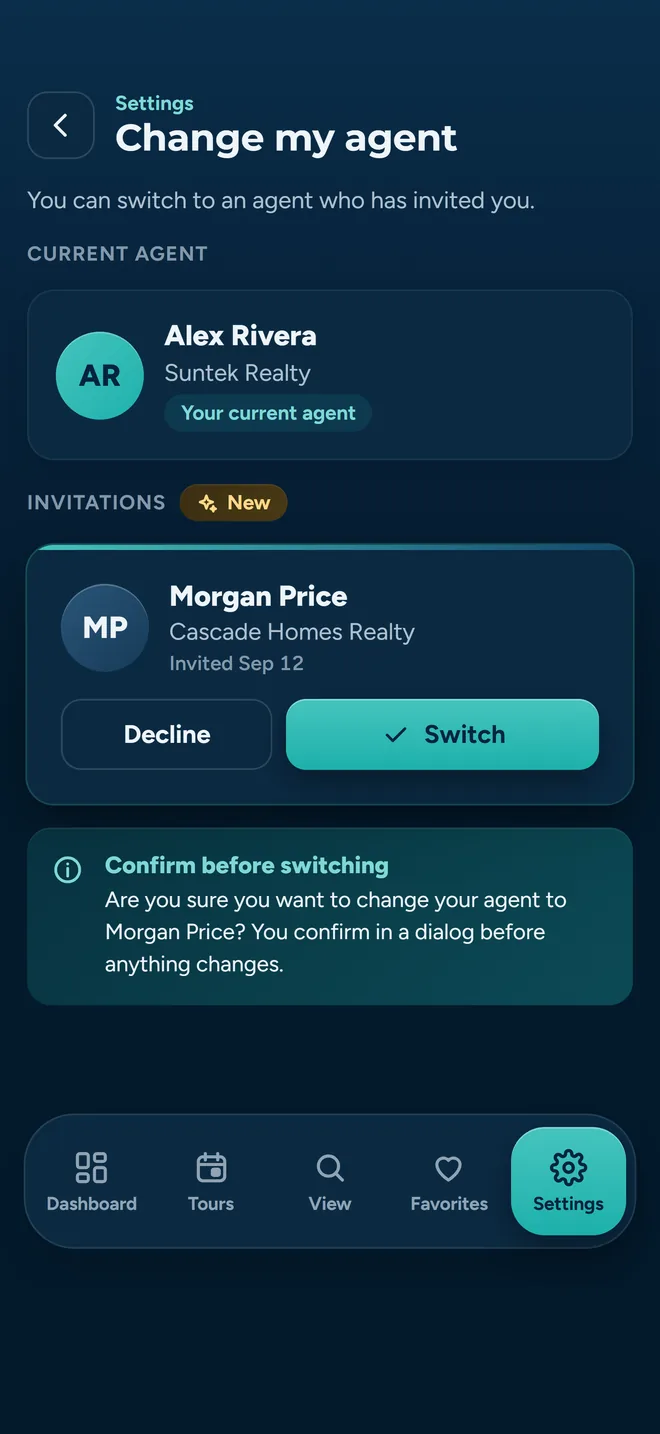
Your agent invited you. Here is exactly what that does.
About Time Tours is the tool your agent uses to plan the day you go see houses. Your side of it is small: an emailed itinerary you can open on any phone, a way to save the ones you like, and a thumbs up or thumbs down at each front door.
Nothing on this page costs you anything, and there is nothing you have to buy.
Step one
The invitation comes by email
Your agent enters your email address and you get a message with the subject line “[your agent's name] has invited you to About Time Tours”. It carries one link. That link is good for seven days.
The link already knows who invited you, so there is no code to copy out of the email and type in somewhere. Open it and you land on a short form: your email is pre-filled, you pick a password, and a six-digit code arrives by email to confirm the address is yours. After that a few onboarding questions (your name, an optional phone number, a photo if you want one) and you are connected to your agent.
If you signed up some other way and arrived without a link, there is a field to paste an invite code instead. Accounts are invite-only either way.
A phone number is optional
You can add one, and your agent can add one for you, but no automated text message goes out until you have both saved a number and switched SMS on yourself. Your agent can always just call or text you the ordinary way.
The honest answer
Do I have to install anything?
For reading your itinerary, no. For the rest of it, you need an account, but an account is not the same thing as an app.
Works from the link alone
The itinerary your agent sends opens as an ordinary web page. It loads without a sign-in, on whatever browser you already have. No download, no password.
- Read every stop in order, with times and full addresses
- See the price, beds, baths and square footage for each one
- Open the photo gallery for a listing
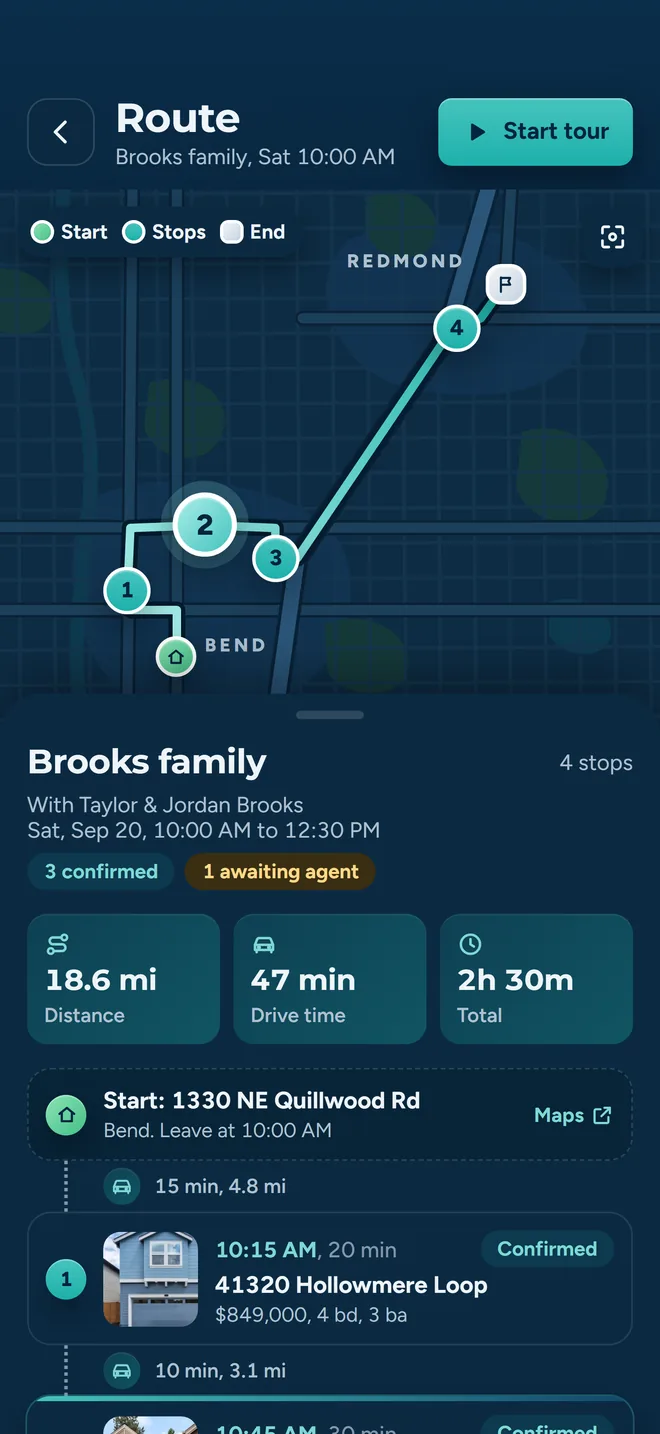
- See the route on a map, with the drive between each pair of stops
- Tap an address to open it in your own maps app
- Press Confirm Tour to tell your agent you have it and you are good to go
Needs an account
These write something back under your name, so the app has to know it is you.
- Saving a property to your favorites
- Asking your agent to add one more house to the tour
- Recording Interested or Not Interested at each stop
- Signing a buyer agreement, if your agent uses one
An account works in a browser at app.abouttimetours.com. Same account, same data. Installing the iPhone or Android app adds push notifications and is easier to use one-handed on tour day. It is a convenience, not a requirement.
Step two
What is actually in the itinerary
Your agent builds the tour, gets each showing time agreed with the listing agent, and then sends you the finished version. It is one email, not a thread.
- Every stop, numbered. A start and end time for each one, the full address, a photo, the price, and the bed, bath and square-foot count.
- The drive between them. Each leg shows its distance and how long it takes, so you can see why stop four comes after stop three and not before it.
- The totals. Miles, minutes behind the wheel, and how long the whole thing runs door to door.
- Your agent's details. Name, phone and email, at the top, for the moment you are standing in the wrong driveway.
- A link to the live version. Times shown in your agent's time zone. If the plan changes, the link reflects it: the email is a snapshot, the link is the current tour.
Confirm it in one tap
Open the link and press Confirm Tour. Your agent sees the confirmation and the time you made it, which saves them chasing you the night before.
Put it in your calendar
Add the tour to Google Calendar, Outlook, or iCal and Apple Calendar. Pick your calendar once and it stops asking.
If your agent deletes a tour you had confirmed, you get a cancellation email and a notification in the app. Not every dropped tour reaches you that way: one nobody had confirmed yet can go without a notice. Check the app before you set off.
Between tours
Save the ones you like. Ask for the ones you missed.
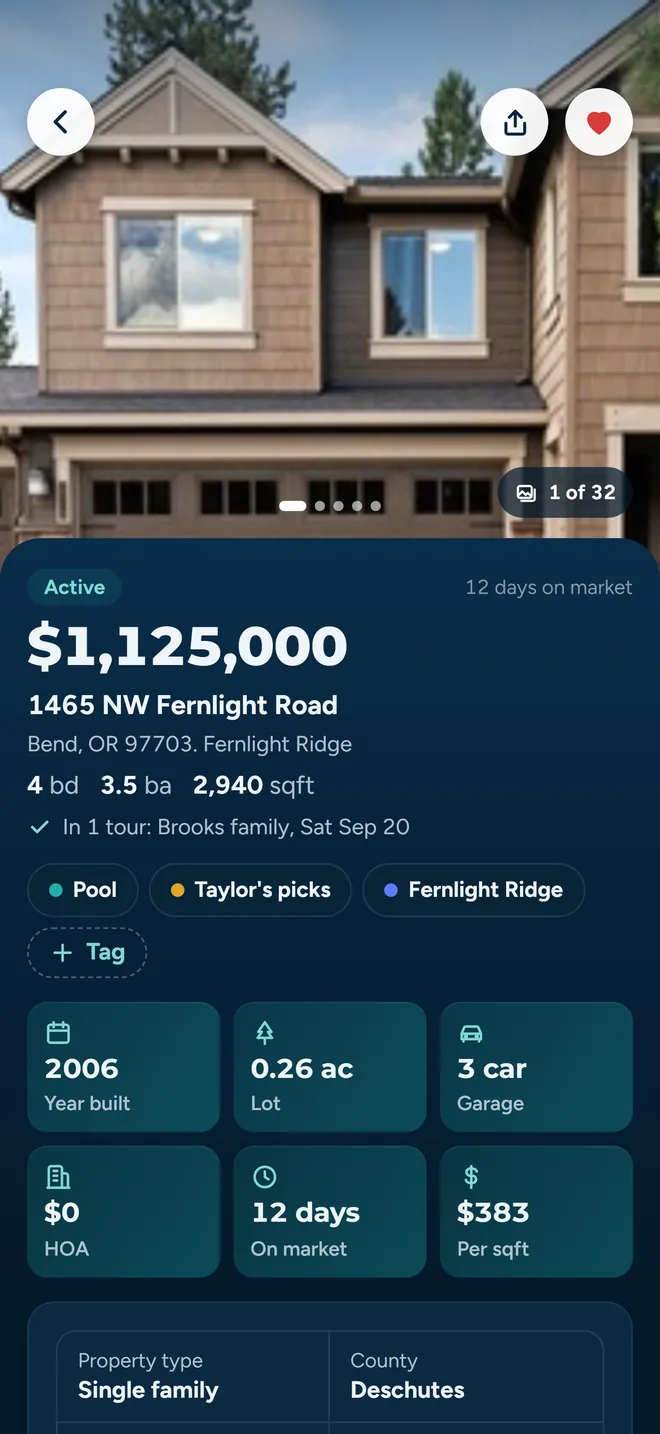
Tap the heart on any listing and it goes into your favorites. You can label them with your own tags (whatever the shorthand is in your household) and filter down to just the tagged ones, or just the ones already on a tour.
The agent you are working with can already see your favorites, tags and saved searches, and can save a home to your list for you. The tags and the saved searches stay yours to change. Sharing is what decides who else sees the list: handing it to someone is one button, and so is taking the share back.
“Can we see this one too?”
Add a property to a tour yourself and it does not silently rearrange your agent's Saturday. It goes over as a request: you get a confirmation that it was sent for approval, and it lands in your agent's Requests list with a notification. They approve it or decline it, and the times already agreed with other listing agents stay where they are.
Listings come from the MLSs in supported markets: Central and Southern Oregon, and Southeast Florida today. See where the data reaches.
Tour day
Thumbs up or thumbs down, at the door
By house number four they all start to blur. The point of recording it on the spot is that you do not have to remember which one had the weird stairs.
Interested, or not
Two buttons per stop, plus a notes box for anything a thumb cannot capture. It saves the moment you tap it. Change your mind later and tap the other one.
Everyone gets their own vote
On a tour with two buyers, feedback is recorded per person against each stop. A split decision stays a split decision instead of being averaged away.
It asks before moving on
The tour will not advance to the next house until you have marked the one you are standing in. That is deliberate: thirty seconds now beats a guess on Monday.
Want the whole sequence from your agent's side? Read the walkthrough.
What your agent sees
Your feedback goes to your agent. That is the point.
This is not an anonymous review site. Everything below is visible to the agent you are working with, on purpose: it is how they stop showing you houses you do not want. Here is the specific list, so nothing is a surprise.
Your per-stop feedback
Interested, Not Interested, and whatever you typed in the notes box. Your agent gets a notification when you record it.
Whether you confirmed
That you pressed Confirm Tour, and when. It is how they know the itinerary landed.
Your favorites, tags and saved searches
The list itself, the tags you put on it, and the searches you saved, plus a recent-activity feed of what you add or remove. Your agent can save a home to the list for you.
Properties you request
The listing you asked to add and which tour you asked to add it to.
Your profile details
Name, email, and a phone number if you gave one. The ordinary contact card.
Signed agreements
If your agent uses buyer agreements, both sides can see the executed document and its status.
One thing worth naming
The itinerary email carries a one-pixel tracking image, the same as most business email you get. It is a weak signal (image blocking is common and it can be wrong in both directions), so treat it as noise rather than as anything anyone can prove. Pressing Confirm Tour is the signal that actually means something.
You control the messages
Notification settings are split by topic (tours and showings, properties and lists, feedback, and general product updates) and each topic can be switched on or off per channel: push, email, and text. Marketing push is off out of the box. Text messages need a saved phone number and your explicit consent before any of them send.
The full detail is in the privacy policy. If you want your account and its data removed, that is a form, not an email thread: delete your account.
Straight answers
Questions buyers actually ask
If yours is not here, ask us directly or check the full FAQ.
Does this cost me anything?
No. There is no buyer plan, no checkout screen you can reach, and nowhere to enter a card: pricing is an agent-side matter, and the subscription screens that do exist are for agents and turn buyers away.
Can I use it without my agent?
Not really, and that is by design. Accounts are invitation-based and a buyer account is attached to the agent who invited you. The tours, the showing times and the listing-agent coordination all run through them.
What if I do not want to make an account at all?
Then use the link. Your itinerary opens in a browser without signing in, and you can confirm the tour from that page. You will just be doing favorites and feedback out loud instead of in the app, which is what you were doing before.
Can I change feedback I already gave?
Yes. Reopen the stop and your previous answer and notes are there. Tap the other button, or edit the note, and it saves over the old one.
Which properties can I see?
Listings come from the MLSs the product is connected to (Central and Southern Oregon, and Southeast Florida today), so the search is useful if you are buying in a covered market and empty if you are not. Your agent can still build a tour with an address they enter by hand. Coverage detail is here.
Do I need the app to sign a buyer agreement?
You need an account, not the app. If your agent has buyer agreements enabled, you review the document, fill in your fields, sign, and can download the fully executed copy afterwards, in a browser or on your phone.
I got an invitation and I do not recognize the agent.
Do not accept it. The link only creates an account and connects you to whoever sent it; it cannot charge you or sign anything on your behalf. Ignore it and it expires in seven days. If it looks like something worse than a mistake, tell us.
Got the email? You are already set up
Open the link, confirm the tour, and turn up on Saturday. Everything else is optional.
Prefer it on your phone? Get the app for iPhone or Android. Are you the agent, not the buyer? Get guided setup.