Product
Every part of a showing day, in one app
A buyer tour is four jobs stacked on top of each other: pull the right listings, order the stops so you are not crossing town twice, get every listing agent to say yes to a time, and keep the buyer informed while it all moves. About Time Tours does those four jobs in one place, on iOS, Android and the web.
Below is the whole surface area, summarised. Nearly all of it has a page of its own with the detail, linked from the section it belongs to.
$20 per agent per month after a 30-day free trial; $5 per agent per month for organizations of 51 to 1,000 agents; larger by agreement.
Tour building and route optimization
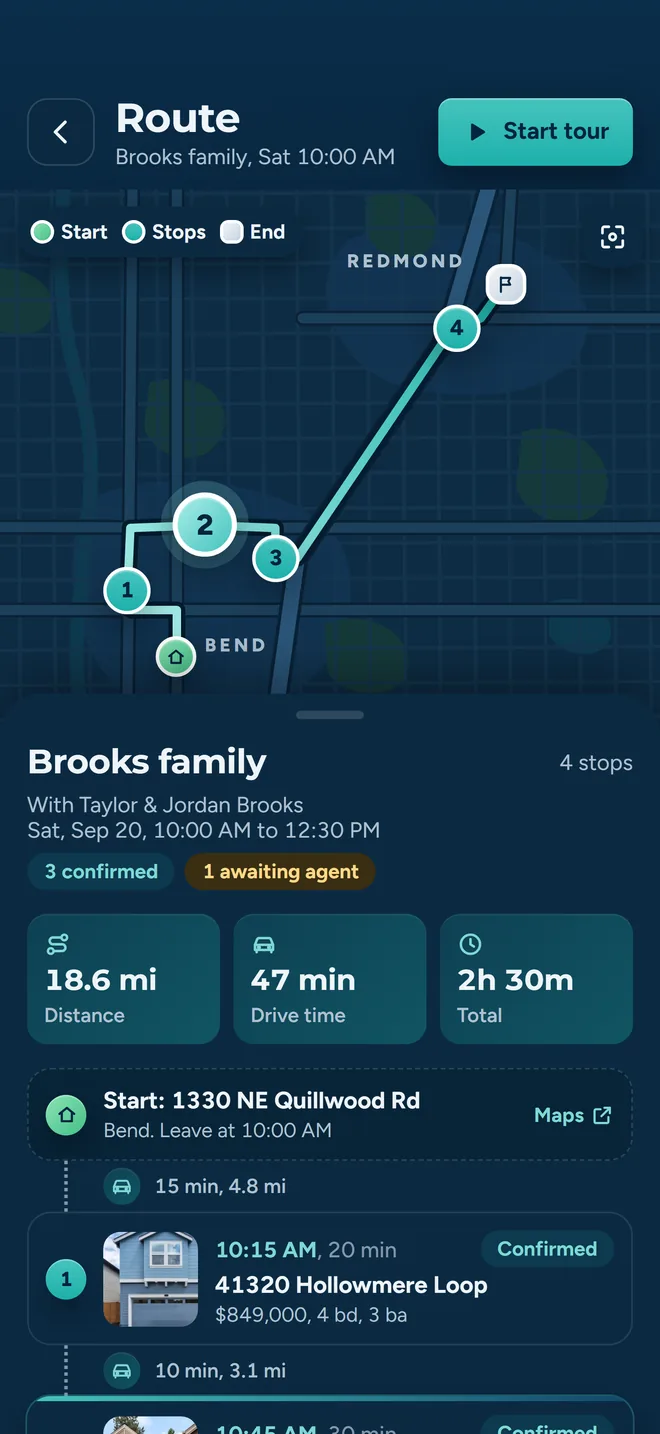
Order eight stops in seconds, without breaking the times you already agreed
Pick properties from search, set the date and starting point, add one or more buyers, and let the optimizer sequence the day. It builds a real driving-time matrix from the Google Distance Matrix API, falls back to OSRM and then to straight-line estimates if that call fails, runs a nearest-neighbour pass, then improves the order with 2-opt edge swaps.
The part that matters on a real tour: any stop a listing agent has already confirmed is pinned in place. The reordering pass skips it and the 2-opt pass will not reverse a segment that contains it, so an agreed 11:30 stays 11:30 unless you unlock it yourself.
- Pick any stop as the starting point (custom places come from Google Places search); turn on Round trip to end back where you started.
- Tour execution mode for the car: stop-by-stop progression, skip, pause, complete.
- Per-stop buyer feedback (Interested / Not Interested) captured during or after the tour.
- Open the next stop in Apple Maps, Google Maps or Waze; push the itinerary to Google Calendar, Outlook or iCal.
Showing confirmations
Stop chasing eight listing agents by text
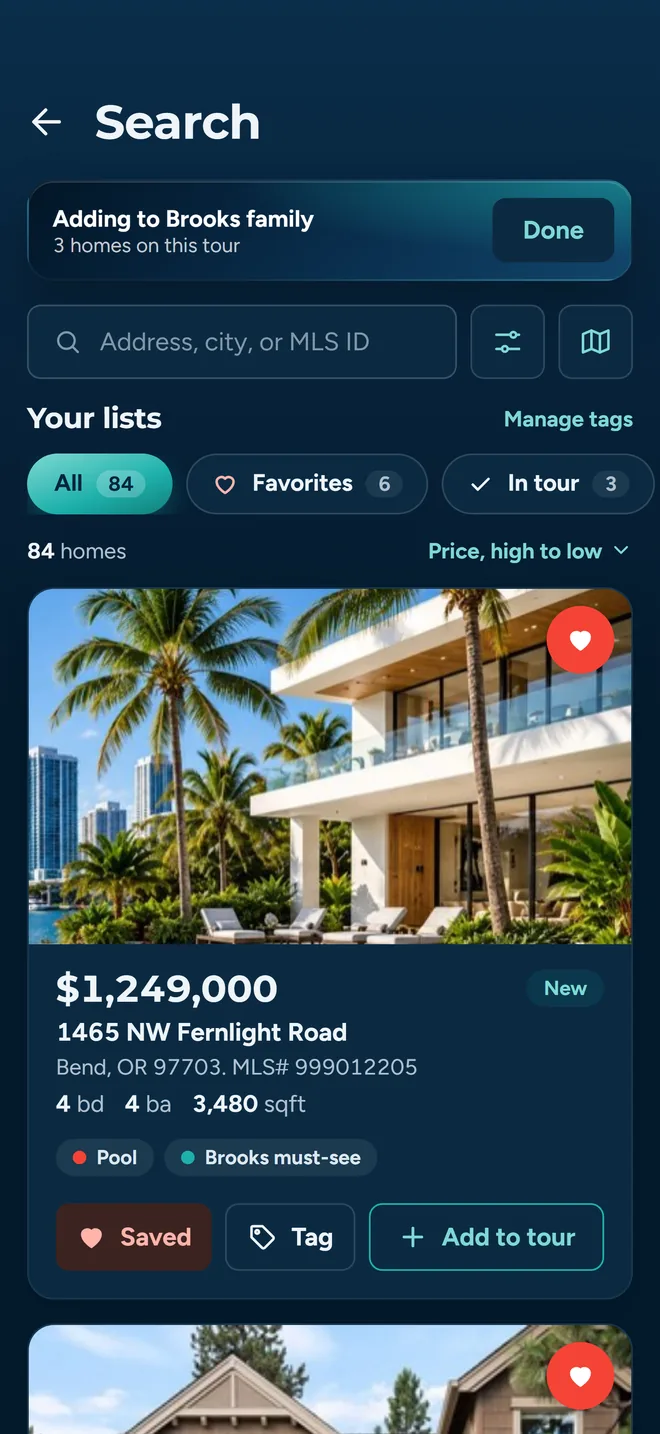
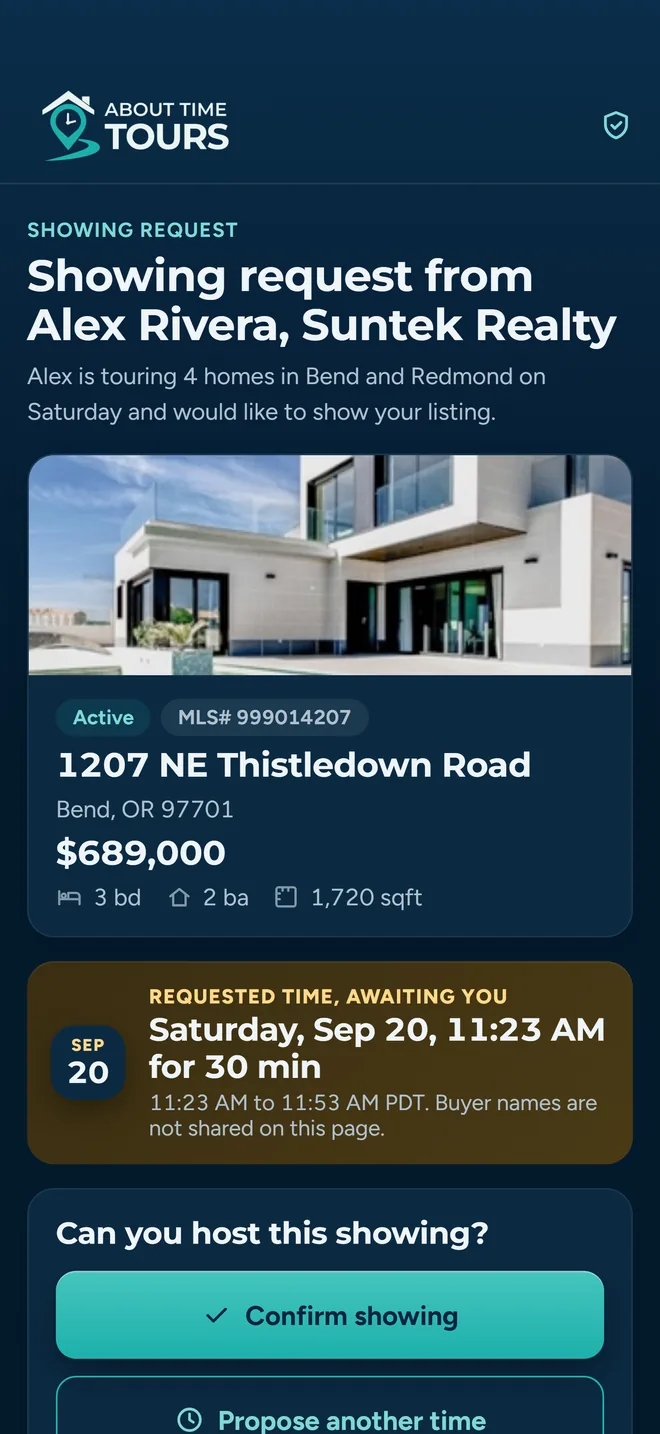
When the itinerary is set, each stop generates a showing request email to the listing agent with a one-click confirm or decline link. No account, no app download on their side: the link carries a token that identifies the exact stop.
A decline is not the end of the conversation. Listing agents can decline outright, propose a different time, or leave a free-text note. A proposed time or a note keeps the stop in a reschedule state rather than killing it, and you accept the counter-proposal in one tap.
- Confirm Tour shows the listing agent's notes alongside computed schedule candidates, and warns you before applying a schedule that would move an already-confirmed stop.
- Deleting a tour that has confirmations requires typing DELETE and sends cancellation notices to listing agents and buyers.
- Open tracking on confirmation emails, client itineraries and invitations. It is approximate visibility, not a read receipt. Many mail clients block the tracking image, so a missing open does not mean it went unread.
MLS search
Central/Southern Oregon and South Florida listings, filtered the way agents actually search
Search runs against the Oregon Data Share feed through Spark, covering Central and Southern Oregon around Bend, Medford and Klamath Falls, plus South Florida through the MIAMI Association of REALTORS® feed. A background job refreshes the cached listings every 15 minutes, so results are current as of the last sync rather than a live query against the MLS.
Filters that match the conversation
City, ZIP, county, price range, minimum beds, minimum baths and minimum square footage, applied server-side against the feed.
Draw the area instead of describing it
Drop a radius or draw a freehand polygon on the map and the results clip to it. ZIP, county, city and school-district boundary layers can be toggled on as overlays.
Map and list together
Browse results as a list or on the map with layer toggles, then send the ones you want straight into a tour or a favorites list.
Full listing detail
Photo galleries, property attributes and MLS status. My Listings gives you one tap to your own active inventory.
Coverage note, stated plainly: search covers Central/Southern Oregon and South Florida today: the Oregon Data Share feed plus the MIAMI Association of REALTORS® feed. Check your market and MLS before getting started. If you work somewhere else, put your market on the waitlist and we will tell you when the data lands.
How search and the map work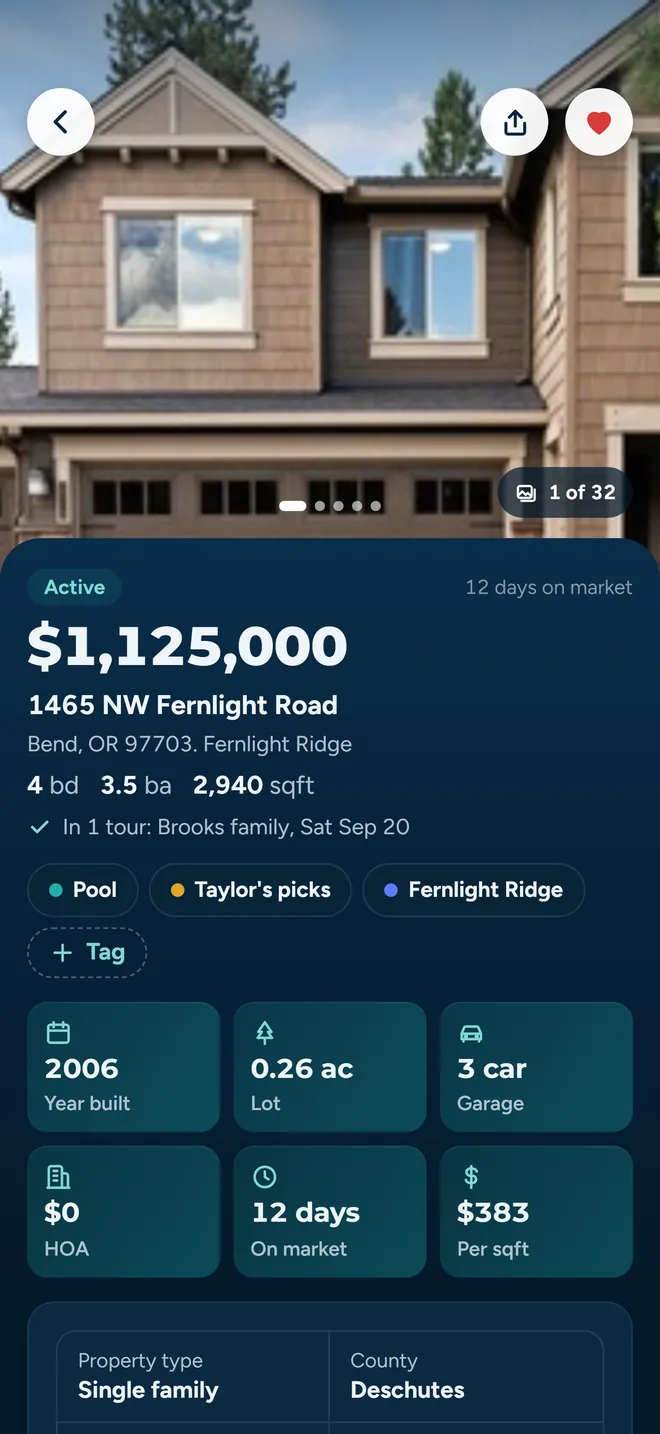
Every listing carries its photos, its attributes and its MLS attribution.
Clients and favorites
One roster, one shared shortlist, no screenshots in a text thread
Buyers are invited by email and land in the same app you are using, so the itinerary they see is the itinerary you built.
Invite by email
The form takes an email address; the buyer fills in their own name when they accept. Duplicate detection stops a second invitation going to someone who already has one, and you can resend from the client row.
Client groups
Organize buyers into named groups (a couple, a family, an investor pair), then message the whole group by SMS or email in one action.
Client dashboard
Per-client tour history, aggregated feedback and the properties they have asked about, in one view.
Favorites with structure
Tag saved properties and colour-code the tags, so “the ones under 600k with a shop” is a filter and not a memory.
Sharing that you control
Share a list with a client or another agent, see who currently has access, and revoke a share when the deal moves on.
View as client
Render the app as one of your buyers sees it before you send anything, so you know exactly what landed.
Also in the app
The rest of the platform
The short version of each, with links through to the pages that go properly into them.
Buyer agreements
Draft, send and countersign a buyer agreement without leaving the tour workflow.
A built-in PDF field editor places text, date, commission, signature, initials and checkbox fields. Save reusable templates, send for signature, and track the lifecycle from Draft through Sent, Partially Signed, Buyer Signed and Fully Signed. A require-agreement setting blocks tour participation until it is done, and agreements can be voided when terms change.
Document signing may be offered as an add-on rather than part of the base product, and the add-on is not separately priced yet. Ask us and we will get it enabled on your account. The server enforces the entitlement, not just the UI.
Agent teams
Cover each other's showings without a group chat roll call.
Create a team and invite members from inside the app or by email; the team owner can remove members. An on-duty toggle tells the team who is available right now, and on-duty members share live location on a map so you can see who is closest to a last-minute showing. Starting a tour can put you on duty and asks which of your teams can see your location while you drive.
Territory activity
Define where you work, then get told when something happens there.
Service areas are drawn as polygons on the map or entered as a list of ZIP codes. A territory activity feed then shows what came on market, what went pending and what changed price in each of your areas.
Territories pair with your public agent landing page, so the ground you cover and the page you share stay in step.
Buyer feedback
Know what every buyer thought of every home, without asking twice.
Every buyer on a tour answers for themselves (an Interested / Not interested verdict and comments per stop), so a couple who disagree show up as two answers, not one. Feedback lines up across tours for comparison, and a buyer who has not answered shows as “No rating yet”, its own state, not a blank you have to interpret.
Agent landing pages
A public page at your own slug that turns a share into a client.
Claim a custom slug (checked for availability as you type), then add a bio, headshot, logo, social links and theme colours, and choose whether the page shows your favorites. The result is a shareable URL for social, email signatures and outreach, and buyers who arrive through it stay linked to you when they sign up.
Notifications
Granular categories, three channels, and a switch for every combination.
Tours & Showings, Properties & Lists, Feedback & Messages, and Updates & News can each be turned on or off independently for push, email and SMS. Push switches are in the iOS and Android apps; the web app offers email and SMS. Push notifications deep-link straight to the tour or listing they refer to. SMS needs a phone number on your profile and a switch you turn on yourself.
Every surface, one account
iOS, Android and the browser, from the same codebase and the same data.
Sign in with email, Apple or Google, with biometric unlock for return sessions. The web app is installable as a PWA and keeps working offline for cached screens. Share links for properties, tours, landing pages and invitations open the native app when it is installed and fall back to a web preview when it is not.
Try it on your next tour
Access starts with guided setup: tell us who you are and which market you work, and we will get you up and running. $20 per agent per month after a 30-day free trial; $5 per agent per month for organizations of 51 to 1,000 agents; larger by agreement.
Already set up? Download for iOS or get it on Google Play.